


Runway: AI Image & Video
4.1185.00 Reviews
App Specs
- Version
- 99.0.0
- Updated On
- License
- Free
- Downloads
- 1,000,000+
- Developer
- Runway AI Inc
- Categories
- Art & Design
- Platform
- Android
Screenshots
 Analysis by AppCompare
I find Runway most interesting as a creative workspace rather than a magic button for finished videos. It brings AI image and video generation together on mobile, which makes it handy when an idea arrives away from a computer. The real appeal is being able to explore a visual direction quickly; the trade-off is that generated results still need judgement, selection and often another editing step before they feel ready to share.
A quick way to turn a brief into a useful test
One situation where I would reach for the app is when a project is still too vague for a full design session. If a small business owner says they want a “fresh” look for a seasonal post, I can test a couple of specific visual directions and use the outputs to find out what they mean by fresh: lighter colors, a closer crop, a more playful scene, or something else. The images are prompts for a better conversation, not promises of a final design.
That distinction also makes the app more useful for solo creators than it may first appear. A generated concept can expose a weak idea early, before I spend time arranging type or editing footage around it. If the concept does not work as a still, I can rethink the framing before moving into motion. I would treat this as a way to reduce uncertainty at the start of a project, rather than as a shortcut that removes the need to make creative decisions.
A mobile creative tool with several generations under one roof
I find Runway most useful when I treat it as a place to explore creative directions, rather than expect it to deliver a finished asset on command. In this section, I’ll look at how its image and video tools sit together on mobile and why that can make an early idea easier to test. That current role also sets up a closer look at what the version and release details do—and do not—tell us about its evolution.
What the current app is built to do
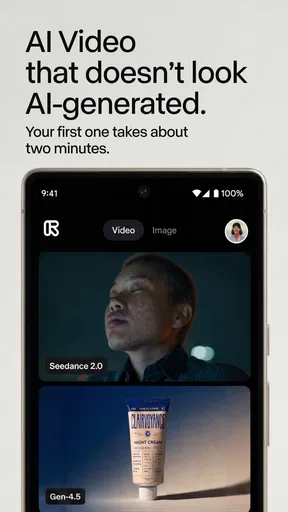
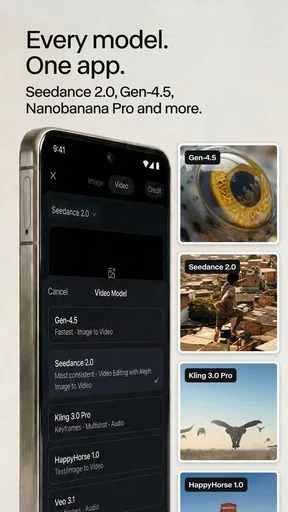
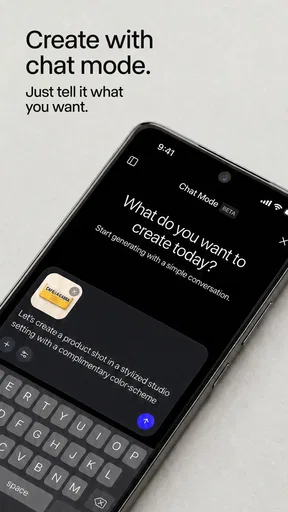
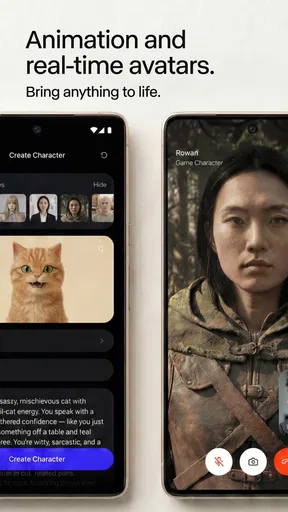
Runway is an Art & Design app from Runway AI Inc. Its current version is 99.0.0, and the central proposition is access to several of the developer’s generation tools within one app. The named options include Seedance 2.5, Gen-4.5 and Runway Agent. That breadth makes the app more appealing to people who want to experiment with both still images and moving visuals than to someone looking for a conventional timeline editor.
In practical terms, I would treat it as a place to develop visual material: test a concept, produce a possible image or clip, then decide whether it belongs in a larger project. That is a different job from trimming phone footage, adding captions, or assembling a polished social video from existing clips. If those routine editing tasks are your main need, a familiar editor will usually be the more direct choice.
The app is free to install, though it offers in-app purchases priced from $7.49 to $899.99 per item. That unusually broad span is a reason to check the purchase details carefully before committing, rather than assuming every creative session will be covered by the free option. I would first establish how well the app fits my workflow and only then consider whether a paid option makes sense.
Worth Reading Before You Choose

Switching to Android Auto Means Rethinking Your Driving Routine

Google Calendar Makes a Crowded Week Easier to Manage

Baby Panda World Brings Quick Play to Modern Phones, but Its Game Library Feels Busy

ESPN’s Live Game View Makes Following Close Games Easier

QuizzLand Review: A Good Fit for Short Trivia Breaks, Not Every Player

Basketball Stars: Multiplayer Is Fast, but Can It Recover When Matches Go Wrong?
How to get more useful results from a prompt
My most practical advice is to give a prompt a clear visual job instead of stacking it with vague adjectives. Describe the subject, setting, framing and mood in a deliberate order. For a small café promotional concept, for example, I would start with the cup and tabletop, specify a window-lit interior, then describe a close, calm composition. That gives the generator a more coherent brief than asking for something merely “beautiful” or “cinematic.”
A second useful habit is to change one part of a prompt at a time. If the subject is right but the scene feels wrong, adjust the setting or lighting rather than rewriting the entire request. Keeping a short note of successful wording also helps: a prompt that produces a useful composition can become a starting point for alternate settings or campaign variations. This makes experimentation less random and helps me tell whether a result improved because of a specific change.
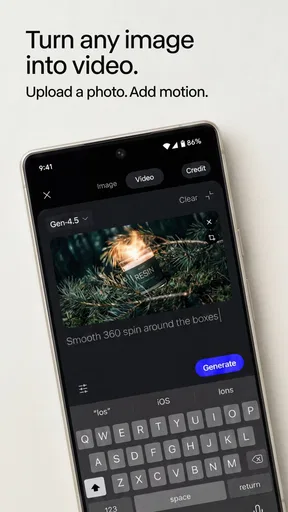
For video ideas, I would begin with a simple action that can be judged at a glance. A subject entering a frame or an object turning toward the camera is easier to assess than a crowded scene with several simultaneous events. The point is not to limit creativity; it is to make each attempt easier to evaluate. Once the basic movement and framing feel promising, I can add complexity or try a different visual direction.
Where it fits in an everyday workflow
Imagine I am preparing a post for a neighborhood bakery and need an early visual concept before the owner has time for a photo shoot. I could use the app to explore a few possible moods—bright morning light, a darker evening counter, or a close-up of pastries—and show the owner directions to react to. That is valuable even if the final post uses a real photograph: the generated material can help make a creative discussion more concrete.
For a freelancer, the same approach can help with rough pitch imagery or a quick visual reference for a client conversation. For a hobbyist, it can be a low-friction way to see whether an idea works as a still or feels stronger in motion. I would not present generated output as a precise preview of a finished production, though. It is better at opening possibilities than guaranteeing that every detail will survive into a final deliverable.
People already comfortable writing prompts are likely to get more out of the app than those expecting a one-tap result. It also suits someone who wants to explore a visual concept without first learning a desktop creative suite. On the other hand, users who need exact brand typography, consistent product details, careful layer control or frame-by-frame editing may find a dedicated design or video editor more dependable for the final work.
How it compares with ordinary creative apps
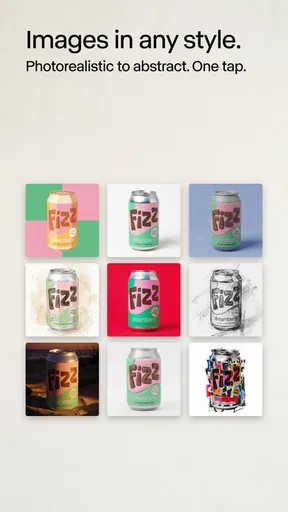
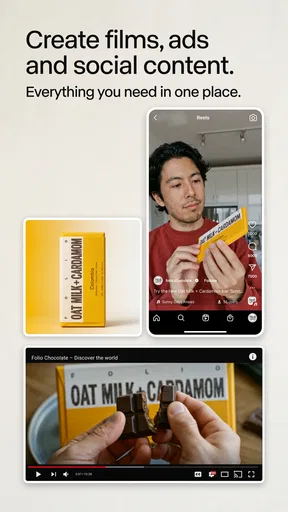
Compared with a standard mobile image editor, Runway’s distinction is generation: it can help create visual material rather than only adjusting photographs the user already has. Compared with a conventional video editor, it is better understood as a source of generated ideas and clips than as a replacement for a complete editing timeline. Those tools solve different problems, so I would use them together when a project needs both imaginative source material and precise finishing.
It also differs from using a single-purpose generator. Having Seedance 2.5, Gen-4.5 and Runway Agent named in one mobile app gives users a reason to explore more than one route within the same creative environment. Still, I would not assume that every option is interchangeable or that one will always produce the best result. A useful working method is to keep the goal constant while testing the available approach that seems best suited to it, then judge the output rather than the tool name.
What the version and release facts tell existing users
The current build is version 99.0.0, and the app’s release date is April 24, 2026. Those facts establish the version and release timeline, but they do not by themselves explain which individual tools or behaviors changed between builds. I would avoid treating a high version number as proof of a particular improvement. For an existing user, the sensible approach is to inspect the current app experience after updating and see whether it changes the way they work.
The broader product direction is clearer than any specific change history: the app brings image and video generation options together and includes Runway Agent alongside named generation models. For returning users, that makes it worth revisiting if their earlier use was limited to one kind of creation. It may encourage a more varied workflow, but the practical benefit depends on whether the available tools suit their actual project, not simply on the presence of additional names.
Runway has an average rating of 4.1 from around 8,600 ratings, with 185 written reviews, and it has passed one million installs. I read that as evidence that the app has found a substantial audience, not as a guarantee that every generation will satisfy a particular brief. Creative tools are especially personal: a result that feels useful for brainstorming may be inadequate for a designer who needs strict visual consistency.
Friction, costs and situations where I would choose something else
The main limitation is the gap between a compelling generated idea and a controlled final asset. Prompting can take several attempts, and an output that looks attractive at first glance may still miss a key detail. If a client needs a specific logo placement, exact packaging, or a repeatable character design, I would plan on careful review and possibly another tool for correction. I would not build a deadline around getting a perfect result from the first prompt.
Cost is another point to think through. The app is free to download, but the listed in-app purchase range runs from $7.49 to $899.99 per item. That range is wide enough that I would check what a purchase actually covers and whether it suits occasional exploration or regular production before buying. If I only need a few static edits, paying for a broad generation workflow may be unnecessary; a simpler image editor could be a better fit.
The age rating is Everyone, which makes the app broadly accessible, but that does not mean every output is automatically appropriate for every audience or use. I would review generated content before sharing it, especially when making material for a business, school or public-facing account. For work requiring predictable, editable assets and a clear approval process, traditional design software remains the safer backbone, with Runway used for early exploration rather than as the sole production tool.
Choosing the right first task
For a first session, I would avoid a complicated brief with several people, props and actions. A single subject in a clearly described setting gives me a better chance of learning how the app responds to my wording. I would save the prompt and note the one detail that matters most, such as the camera distance or lighting. If the result misses that detail, I can revise just that part instead of starting over blindly.
This is also a sensible way to decide whether the app fits a real routine. A social media creator might test a backdrop idea for a post; a designer could explore a mood before building a layout elsewhere; someone making a short video could check whether a simple movement reads clearly. If none of these small experiments provides a useful starting point, I would not assume that a larger project will somehow make the workflow click.
Who should try it, and what I would watch next
I would recommend trying Runway if you enjoy shaping ideas through prompts, need visual starting points on your phone, or want to explore both image and video generation without moving immediately to a desktop workflow. It is particularly useful when the goal is to create options for discussion, not to promise a finished campaign asset. I would skip it if what you really want is a straightforward clip trimmer, a precise layout editor, or guaranteed consistency across a set of branded images.
Runway is rated for Everyone, and its free installation makes it easy to explore before deciding whether any purchase fits. My own rule would be to test one small, realistic task first: create a visual concept for a post, a mood reference for a project, or a short movement idea. If the result saves time or helps me communicate the concept, then I would explore further. If I spend more time correcting outputs than developing the project, I would switch to a more controlled tool.
What I would watch in future use is not simply whether more generation options appear, but whether they make the creative process clearer and easier to control. For current users, the strongest reason to return is the chance to approach a visual brief in more than one way within the same app. For newcomers, the best expectation is an adaptable idea-making tool, not an automatic substitute for craft. Its value is greatest when I treat generated work as a starting point and keep the final creative decisions in my own hands.
Overall, Runway is a worthwhile mobile option for curious creators who want to turn a rough thought into visual possibilities. I like its combined focus on still and moving imagery, and I appreciate that it can support brainstorming as well as personal experiments. Its limits matter just as much: prompt quality affects the process, paid options deserve a close look, and polished production may still call for a dedicated editor. If that balance matches how you create, it is worth trying; if precision and predictable editing come first, choose a conventional creative app instead.
Pros
- Turns text prompts and still images into short video clips.
- Offers creative tools for experimenting with visual styles.
- Useful for producing quick concept visuals without a full editing suite.
- Cloud-based generation avoids demanding local hardware requirements.
- Can help creators brainstorm scenes and motion ideas.
Cons
- Generated results may differ noticeably from the prompt.
- Video generation can take time
- especially during busy periods.
- Free access may be limited by credits or usage quotas.
- Some outputs may contain visual glitches or inconsistent details.
- An internet connection is needed for its AI generation features.
FAQs for Runway: AI Image & Video
What is Runway: AI Image & Video used for?
Runway is a creative app built around AI-powered tools for making and editing visual content. Depending on the features available in your version, you can use text prompts or images to generate artwork and video, and explore tools for changing or refining existing media. It is aimed at creators, social-media users, and curious beginners, though results can vary with the prompt, source material, and selected settings.
Can I use Runway to generate videos from text or images?
Runway offers AI video-generation features that may let you create clips from a written description or use an image as a starting point. The exact tools, limits, and controls can change as the service is updated, so check the current app listing and in-app options before relying on a particular workflow. Generated clips may not match every detail in a prompt, and short experiments often help you find better wording.
Is Runway: AI Image & Video free to download and use?
The app may be available to download without an upfront purchase, but access to AI tools can be subject to usage limits, credits, subscriptions, or other in-app purchases. Pricing and allowances can vary by region and may change over time. Before generating a large batch of images or videos, review the current plan details in the app store and confirm what happens when any included credits or free usage are exhausted.
Do I need an internet connection or a powerful phone to use Runway?
AI generation commonly relies on online processing, so you should expect to need a stable internet connection for many core features. Processing time can depend on network conditions, server availability, and the complexity of a request; not every task is necessarily completed on your device. A recent phone may make browsing and editing more comfortable, but supported devices and operating-system requirements should be checked on the relevant app-store page.
What should I know about privacy and ownership when creating content with Runway?
Before uploading photos, videos, or other personal material, read Runway’s current privacy policy and terms to understand how submitted content and generated results may be handled. Avoid uploading sensitive images or material you do not have permission to use. Also review the applicable rules for commercial use, attribution, and ownership, since these can depend on your plan, the source material, and the service’s latest terms.


